Computer Monitor4.9
Publisher Description
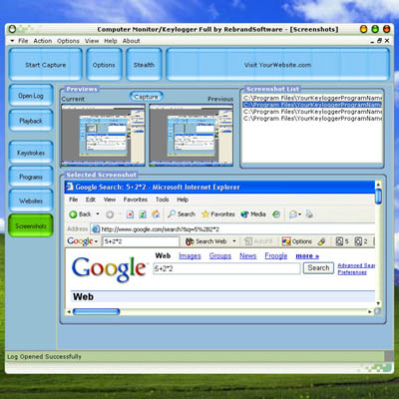
Secretly monitor all activity on your computer, capturing keystrokes, programs, internet explorer websites and screenshots.
Completely invisible and easy to use, all information captured is stored in an encrypted log file. The log file can be sent secretly at scheduled intervals to any specified email address.
All activity in Internet Explorer can be monitored, and webpages are cached for viewing offline.
Screenshots can be taken at given intervals, capturing everything that is currently on the screen.
Monitor your computer while you are away, retrieve lost information, monitor your childrens activity, and much more!
Capture keystrokes, even passwords!
Capture programs used
Capture websites in Internet Explorer
Capture screenshots
Encrypted log file
Secretly email log files
Invisible "Stealth Mode"
Unique playback mode lets you view captured keystrokes/programs/webpages/screenshots in real time
Run silently at startup
Auto-capture at startup
Does not Contain any Adware, Spyware, or other Third Party Software.
A brandable (a.k.a. Private Label) version of this software, with full resell rights, is available at www.rebrandsoftware.com.
About Computer Monitor
This Covert Surveillance program is available in English, German, Spanish. It was last updated on 29 September, 2026. Computer Monitor is compatible with the following operating systems: Windows.
The company that develops Computer Monitor is Rebrand Software, LLC. The latest version released by its developer is 4.9. This version was rated by 1 users of our site and has an average rating of 3.0.
The download we have available for Computer Monitor has a file size of 2.1 MB. Just click the green Download button above to start the downloading process. The program is listed on our website since 2013-04-16 and was downloaded 26 times. We have already checked if the download link is safe, however for your own protection we recommend that you scan the downloaded software with your antivirus. Your antivirus may detect the Computer Monitor as malware if the download link is broken.
How to install Computer Monitor on your Windows device:
- Click on the Download button on our website. This will start the download from the website of the developer.
- Once the Computer Monitor is downloaded click on it to start the setup process (assuming you are on a desktop computer).
- When the installation is finished you should be able to see and run the program.
Program Details
System requirements
Download information
Pricing
Version History
version 4.9
posted on 2013-04-16
Added GMail compatibility
Added email server presets
Fixed a bug that caused a runtime error when sending email on Win Vista and Win7
